Showing posts with label teaching organization. Show all posts

July 22, 2013

Monday Made It {Teacher Toolbox}

Well, I finally did it. I jumped on the Teacher Toolbox bandwagon and I have to say that I am SUPER excited about it! I just couldn't wait to share it with you for this week's Monday Made It.


Last summer, I saw lots of posts about people creating their teacher toolboxes. I wanted to make one, but it became one of those things that just never got done. Then, this summer, I wasn't sure that I still wanted to make one. I finally decided to make one and I am really glad that I did.

I bought the Stack-On 22-drawer organizer at Lowe's for about $17.

I wasn't really crazy about the blue color and I just happened to have some leftover black spray paint. Yay!


Then, I downloaded these adorable labels that are not only bright and colorful (which I love!), but they are also editable so that I could change them to say what I wanted.


I have to say that I am VERY happy with my finished product. If you are debating on whether or not to make your own Teacher Toolbox, I definitely recommend it!


Monday Made It #2

Another wonderful thing that I made this week wasn't school related, but it was wonderful all the same. We had a big family reunion on Saturday, so I made these delicious Snickerdoodle cookies.


When you take something to a reunion, party, etc, I think that the best way to know if what you made was good, is based on how much is left when it's over. I have to say that there weren't any cookies left over, not even a crumb.

Happy Monday Everyone!

July 13, 2013

Absent Student Work

As much as we'd like to have all our students at school everyday (well maybe not everyday), that's just not realistic. We do have to deal with absent students and the work they miss while they are absent. I've done this a little differently every year, but I still haven't found that perfect system.

Last year I found that it worked really well to write any absent students' names on papers as I passed them out. My challenge was what to do with those papers to make sure that the students got them when they returned. I tried putting them on the student's desk. However, I team teach with another teacher and I have different students coming in and out all day. Often times these papers were shoved into the black hole that is a student desk. I also tried sticking these papers in a pocket chart that I have. This didn't work because if I didn't remind the students, they would forget to check. It just wasn't very organized.

Then, I saw this wonderful pin on Pinterest:

Unfortunately, the link didn't go anywhere so I don't
 know who to credit for this wonderful idea.
My plan is to make a file folder for each day of the month (1-31). Then, whenever a student is absent I will place their work, with their name on it, in the folder that corresponds with the correct date. That way when the student returns, all they have to do is check the folder of the date(s) they were absent.

I even made a cute label page to attach to the front of the crate. I've made this page available for free on my TPT store. This download has the sign available in several different colors, that way you might match your classroom theme or color scheme.

Click here to download this product for FREE

What do you do to organize work that your students miss while they are absent?


July 10, 2013

2013-14 School Calendar

On Monday I linked up with 4th Grade Frolics for Monday Made It. I posted about my teaching binder that I created for next year. (You can read about it here.) I'm excited to start getting all my resources organized and put into the binder.

To go along with my binder, I created a monthly calendar for the 2013-2014 school year. This year I made mine so that each month takes up two pages. That way I have more room to write in. I have two different versions available in my Tpt store. In this version, I added lines on Sundays because I like to be able to write a few things I need to get done that week. I also created this version that doesn't have any lines for those of you who would prefer it that way.

While you're checking out the calendar, make sure to follow my store so you don't miss any freebies. I'm working on creating more versions of the Finders Keepers game I posted about last week. You can download the subtraction version for free here.


July 8, 2013

Monday Made It


I've been wanting to link up with Tara over at 4th Grade Frolics for awhile now. But with a 2 month old baby, I can't get things done as quickly as I once did. I wouldn't trade a minute of it though and I'm trying to soak up as much time with her as I can before the back to school craziness starts.

Anyway, back to my reason for this post ...

After reading Jodi's post over at the Clutter-Free Classroom about how she sets up her teacher binder, I was inspired to work on creating mine. Every year I change mine around a little bit. Last year I actually had two separate binders, one with everything I needed to help with planning and one with my student data, parent communication, schedules, etc. This year I tried to consolidate things by putting it all in one binder.


 I've read many posts by different people about the different sections they make in their binder. You have to figure out what works for you. These are the sections I came up with:

  • Calendar
  • Weekly Lesson Plans
  • Pacing Guides
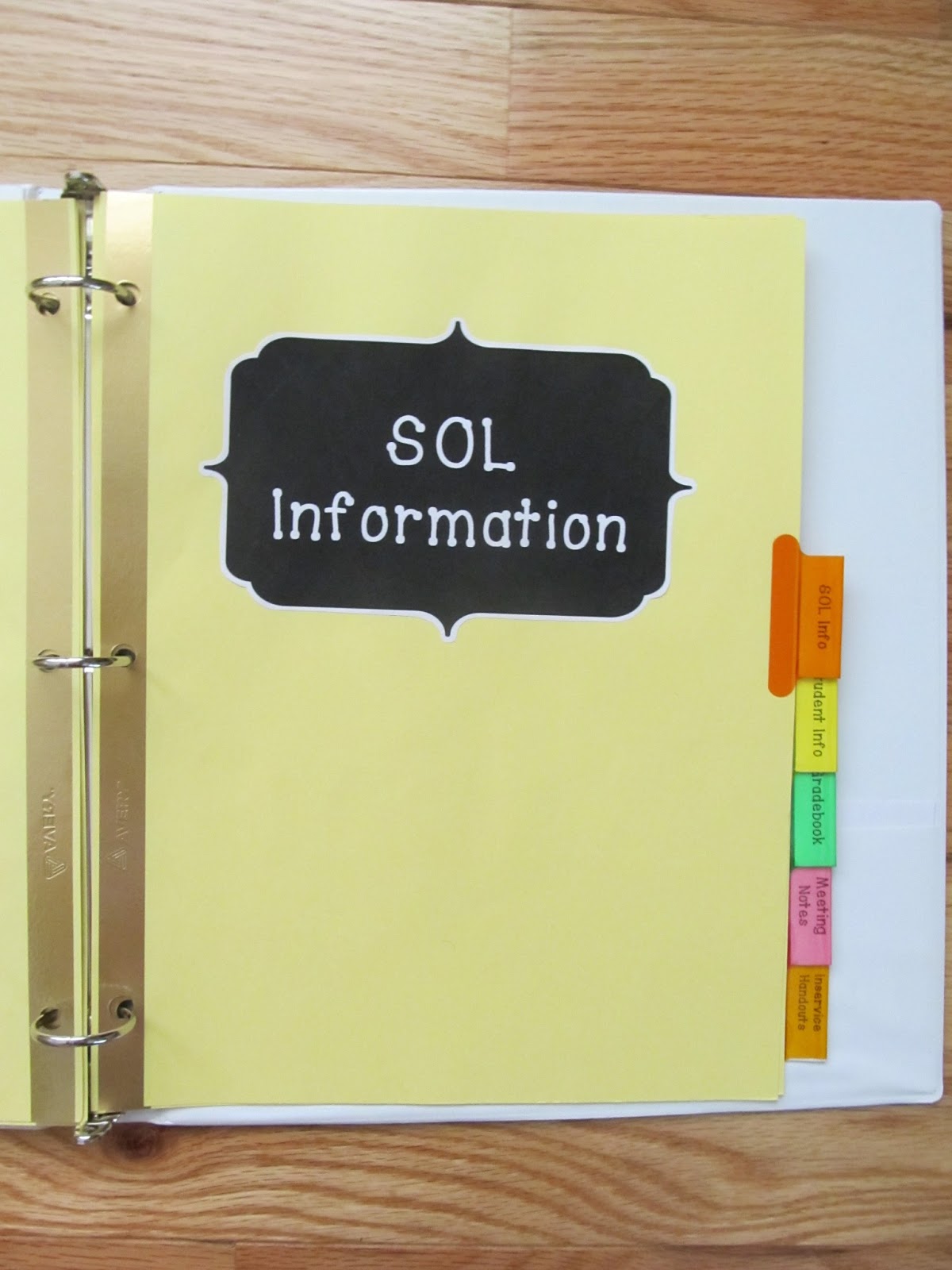
  • SOL Info
  • Student Info
  • Gradebook
  • Meeting Notes
  • Inservice Handouts

(I tried to dress up the dividers a bit and make them prettier by adding a decorative label to the divider page. )

Calendar -
This year I made my own monthly calendar so that I could spread each month out over two pages. I write fairly big and last year I ran out of room if there were more than two things I needed to write on a certain date. When I created it, I made the Sunday boxes a little bigger so that I can write in things I need to complete that week.


Weekly Lesson Plans -
I usually create my lesson plans on the computer, but I'd like to have somewhere to keep them once I have printed them out. 


Pacing Guides - 
We have district-wide pacing guides for Math and Reading/Language Arts. I like to have them easily accessible when I'm working on my lesson plans.


SOL (Standards of Learning) Info - 
Here in Virginia we haven't switched over to Common Core. We still have SOLs that we follow. I also like to have these easily available when planning.


Student Info - 
This is where I will keep the parent surveys that I send out at the beginning of the year, lists with the students' ID numbers, birthdays, and any other information that I might need.


Gradebook - 
We've been using an online gradebook (PowerSchool) for the past four years, but I still like to have a paper gradebook. This is helpful if I'm grading papers and I'm somewhere that I don't have immediate access to a computer. I also like to have a backup in case something happens and grades get lost.


Meeting Notes - 
Let's face it, it wouldn't be teaching without meetings. I like to have a place to keep all my notes so that I can refer back to them when needed.


Inservice Handouts - 
Who hasn't been to an inservice and received a bunch of papers that you then don't know what to do with? What I like to do is to put all the pages into a page protector and then put a sticky note on the front with the name/topic of that inservice. That way if I want to refer back to something, I know right where to look.


I even made a label for the binder spine. Overall, I'm really happy with how my teaching binder turned out and I can't wait to start using it! 

What sections to you like to have in your teaching binder?